Tutorial: Setting up daily lottery deciding which customers get access to next day's event using Zapier and waiting lists (1 / 4)
Tutorial Table of Contents
part 1: Configuring the event resource in Planyopart 2: Configuring the daily scheduler in Zapier
part 3: Customers add their reservations to the waiting list
part 4: Daily lottery randomly selects sign-ups and upgrades them to valid reservations
Part 1 of 4: Configuring the event resource in Planyo
This tutorial shows step-by-step instructions for configuring a daily scheduled lottery (using Zapier) which once per day automatically selects random reservations and upgrades them to valid reservations for the following day's event. In this example the event takes place every day. A frequently used alternative implementation we notice some of Planyo customers use would open up reservationsfor the following day daily at a specific time (e.g. exactly at noon) but in case a large number of customers fighting for few available spots, such solution makes it very inconvenient for the customers (since they try to outrun everyone else submitting the reservation form at the first second of the opening time) and also potentially adds some delays in the submission of the reservation form.
The suggested lottery uses the Zapier integration as a daily scheduler but you could also use another solution such as the Make integration or an external crontab on your server with a single daily API call to Planyo freeing up availability at a scheduled time.
In this tutorial we configure a day-based resource but it would work just as well for hour-based entry. We use the waiting list feature as a mechanism to allow customers to enter a large number of reservations of which only max 10 customers manage to be admitted.
The Planyo configuration is straightforward: we add a day-based resource, here named Event:
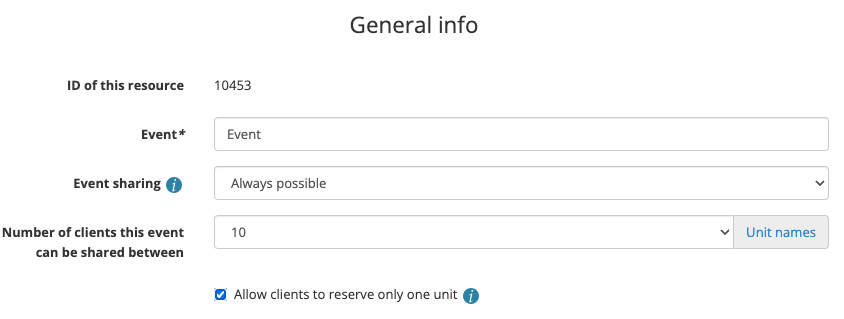 The resource has the max. capacity of 10 persons and in this case we'll allow a single customer to only make a single reservation. In order to make sure a customer doesn't attempt to increase their chances by making two reservations, we'll add a Pricing Manager rule which prints an error message if a customer attempts a second reservation for the same day. Note that this configuration allows them to make multiple reservations for different days.
 In Reservation process we set the confirmation method to AUTO although you could require an extra step such as manual confirmation or online payment. Here we select Enable waiting list and can set the max. waiting list size or leave it without a limit. The option Upgrade of waiting list requests to valid reservations once a slot is freed can be set to Automatic (random order / lottery) or Automatic (recent customers last). Let's choose the first of these two choices.
Here are the differences between the two available lottery types:
In Reservation process we set the confirmation method to AUTO although you could require an extra step such as manual confirmation or online payment. Here we select Enable waiting list and can set the max. waiting list size or leave it without a limit. The option Upgrade of waiting list requests to valid reservations once a slot is freed can be set to Automatic (random order / lottery) or Automatic (recent customers last). Let's choose the first of these two choices.
Here are the differences between the two available lottery types: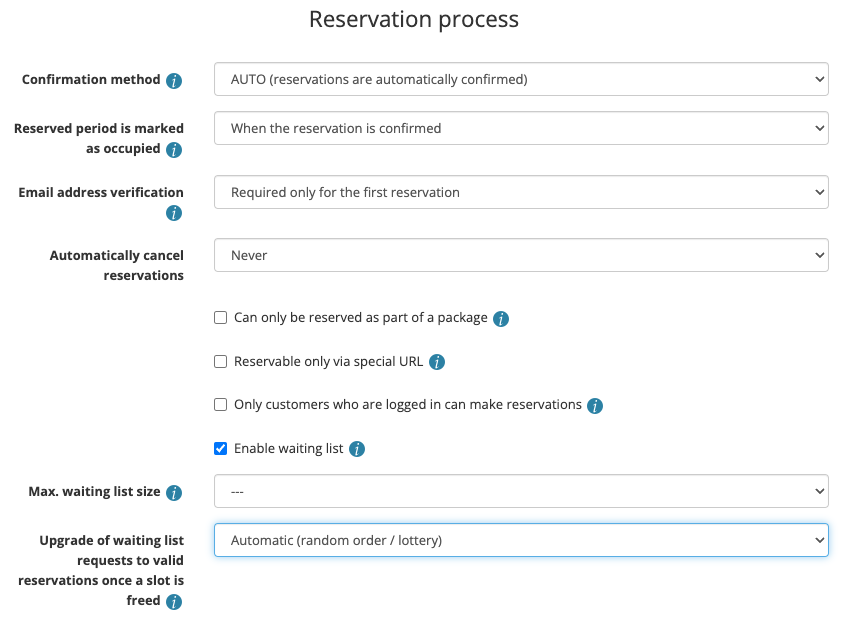 In Time-related settings we set a fixed duration of 1 day. Max. time between reservation and rental can be set to prevent reservations for too many days in advance.
 Now we'll add a vacation for all available slots on every day in the next X years in order to make the event resource permanently unavailable to the customers therefore forcing all reservations to be added to the waiting list. Note that this solution still allows the administrators to add valid reservations for any future date - these spots will be unavailable to the lottery and so on given day simply less winners will be drawn automatically.
The resource has the max. capacity of 10 persons and in this case we'll allow a single customer to only make a single reservation. In order to make sure a customer doesn't attempt to increase their chances by making two reservations, we'll add a Pricing Manager rule which prints an error message if a customer attempts a second reservation for the same day. Note that this configuration allows them to make multiple reservations for different days.
In Reservation process we set the confirmation method to AUTO although you could require an extra step such as manual confirmation or online payment. Here we select Enable waiting list and can set the max. waiting list size or leave it without a limit. The option Upgrade of waiting list requests to valid reservations once a slot is freed can be set to Automatic (random order / lottery) or Automatic (recent customers last). Let's choose the first of these two choices.
Here are the differences between the two available lottery types:- Standard lottery: the algorithm randomly selects a reservation request to be upgraded
- Recent customers last: the algorithm will first randomly select a reservation request of a customer who has never made a successful reservation (or longer than 1 year ago), if these don't exist, then it will prioritize customers who have made a successful reservation further in the past than the more recent customers
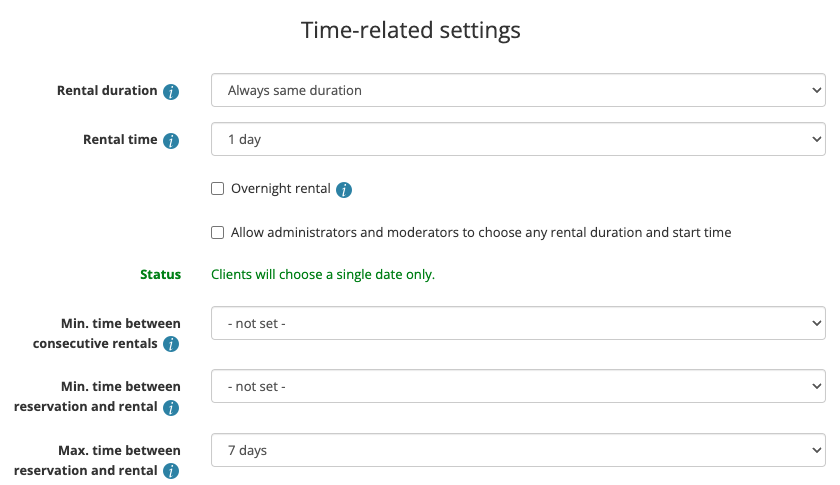
In Time-related settings we set a fixed duration of 1 day. Max. time between reservation and rental can be set to prevent reservations for too many days in advance.
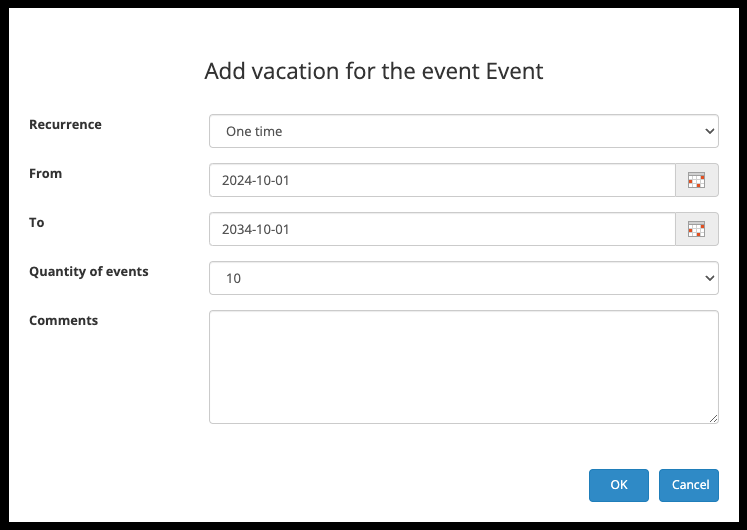
Now we'll add a vacation for all available slots on every day in the next X years in order to make the event resource permanently unavailable to the customers therefore forcing all reservations to be added to the waiting list. Note that this solution still allows the administrators to add valid reservations for any future date - these spots will be unavailable to the lottery and so on given day simply less winners will be drawn automatically.